


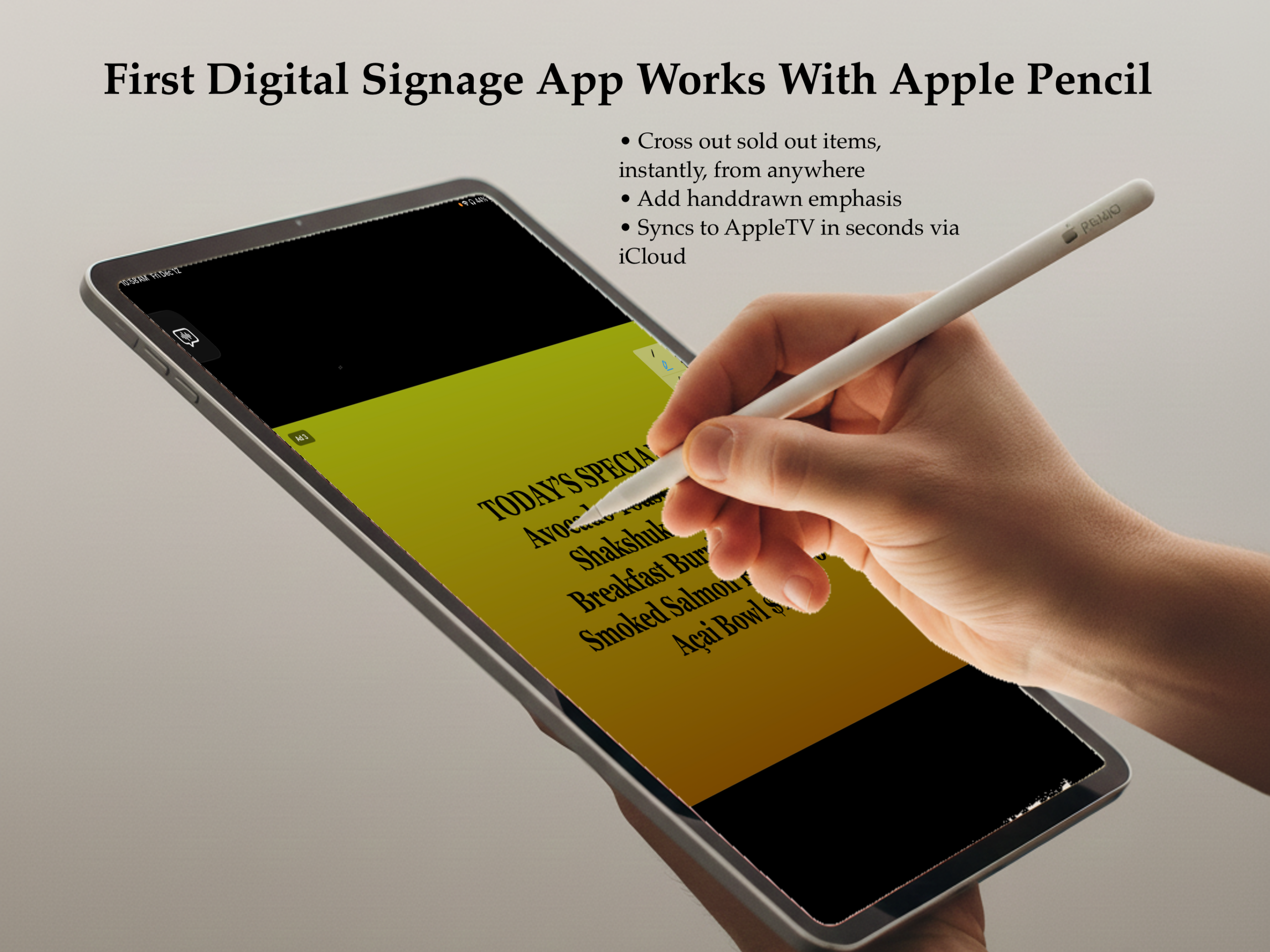
Polished and powerful digital signage app – Say It On Billboard – coming soon to the Apple App Store, your iPad and your AppleTV(s).
Transform your iPad into a professional digital signage creation studio. Design beautiful billboards with Apple Pencil on your iPad, display them on Apple TV. No servers, no subscriptions to third-party platforms—just your devices and iCloud.
Simple Setup, Powerful Results
- Step 1: Create on iPad – Use our intuitive editor to create text billboards, add images or videos, or choose from professional templates. Draw annotations with Apple Pencil. Make it yours.
- Step 2: Organize with Playlist Groups – Create groups that display at specific times and days. Morning menu from 7-11 AM, lunch specials from 11 AM-2 PM, dinner menu from 5-10 PM. Set it once, forget it.
- Step 3: Display Anywhere – Your billboards display on Apple TV automatically via iCloud. Or use iPad-only mode for counter displays and kiosks. Everything stays in sync.
Everything You Need, Nothing You Don’t
☁️ iCloud Sync – Your content syncs automatically across all devices. Update once, display everywhere. Works seamlessly in the background.
📅 Smart Scheduling – Playlist groups let you control what displays when. Weekdays vs weekends. Morning vs evening. Holiday specials. Complete control.
🎨 Rich Content Types
- Text with several fonts and colors
- High-resolution images and photos
- Video playback
- Gradient backgrounds (perfect for portrait content)
- Apple Pencil drawing and annotations
- Professional templates
📱 Multi-Device Support – Connect multiple Apple TVs across locations. Free plan includes iPad-only mode. Paid plans support 3 to 50 devices.
🎬 Template Library – Don’t start from scratch. Choose from business-tested templates for restaurants, retail, offices, and events. Customize and deploy in minutes.
📊 Network Diagnostics – Built-in performance monitoring shows you exactly how your network is handling your content. Progressive loading adapts to your connection speed.
🔒 Privacy First – Your content lives in your iCloud account. We never see it, store it, or have access to it. Complete privacy and security.



